Enter your email address below.
7 min read...
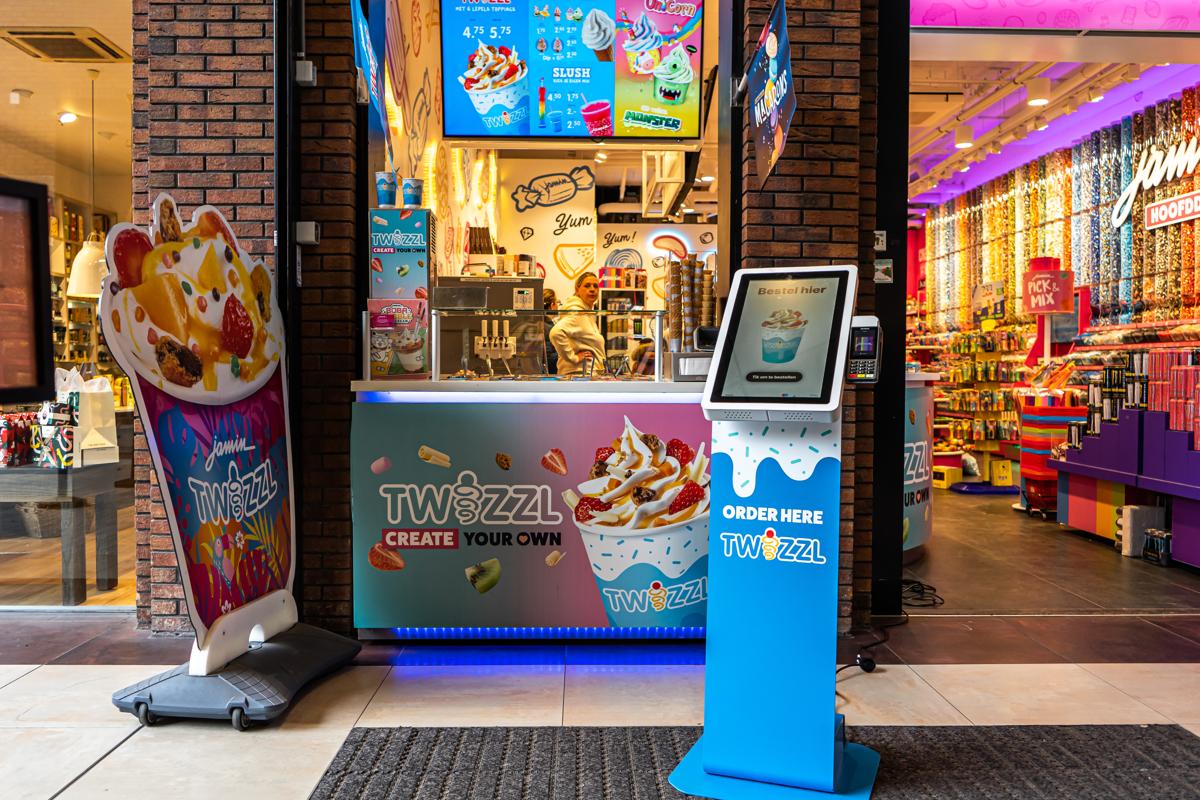
Setting up a self-order kiosk is mostly a nerve-wracking idea for owners. Not because they doubt it works, but because they wonder how much hassle it’ll be. Does the place have to close? Will my team get it? And what if guests just walk past it? In this article we’ll walk you through the first week, day by day, so you know exactly what you’re in for.
Less than you’d think. The Kiosk arrives with your menu already on it, you put it down and you’re running. No renovation needed, and your venue doesn’t have to close for a day.
What does deserve attention is everything around it: thinking through how your menu is built up, a team that knows what’s changing, and a spot where guests notice the kiosk without looking for it. Those aren’t technical jobs, they’re choices. And they’re exactly what decides whether your kiosk earns its keep in week one.
You can install the Kiosk yourself. Unbox it, put it in place, plug it in, switch it on. Rather have it done for you? Professional installation is available; check the product page for what that currently costs.
Do think about the spot. A kiosk next to the counter gets used. A kiosk in a corner nobody walks past doesn’t. Put it in the walking route, with enough room for a small queue that isn’t in the way.
Before installation, you send us your current menu. We load your products, prices, categories, options and photos onto the Kiosk in advance, so you’re never starting from a blank screen. No product photos of your own? We have stock photos ready, and anything you send us we’ll add for you.
After that you can change whatever you like yourself, straight from the dashboard. Rather have us do it? That works too: menu changes are free and are usually live within two working days.
Do think it through with us, though: the order of your categories, your bestsellers, the smart extras. That’s where the return is. Not sure how to structure things? We wrote earlier about the criteria to weigh when choosing a self-order kiosk. The same logic helps when you’re setting one up.
This is the day most often skipped, and the most important one. Walk your team past the kiosk, let them click through an order themselves and explain what’s changing. Not just the how, the why too.
The biggest worry on the floor is usually: does this make me redundant? The honest answer is no. The kiosk absorbs the order-taking, your team gets time back for guests and the kitchen. Say that out loud and the tension is gone.
Now you’ll see it. Expect some guests to head straight for the kiosk while others still queue at the counter. That’s hardly surprising in the first few days.
What helps in those first days: someone standing near it. Not to serve, just to point. “You can order over there.” One sentence is often enough to get someone heading that way themselves next time.
Look back at your first weekend. Which products are moving, which aren’t? Is your bestseller actually on the first screen? Is there a category nobody clicks into?
Your menu isn’t a set-and-forget thing. Spot something that could be better? Change it yourself in the dashboard, or pass it on to us. Menu changes are free and usually live within two working days.
Expect a bit of getting used to, on all sides. Some guests like it immediately: browse calmly, build their own order, no rush. Others pick the counter the first time and the kiosk the second.
What often stands out is that orders get more complete. People who click through see the whole range and say yes to an extra more often. Across millions of orders we see an average order value that’s 20% to 30% higher, thanks to smart upselling.
You don’t have to take the gamble: you test the Kiosk free for 30 days, no strings attached, in your own venue. Not for you? We’ll simply pick it up again. The licence can be cancelled monthly, and updates and 24/7 support are part of the service. More than 1,000 hospitality businesses went before you.
The Kiosk itself is in place quickly: unbox, position, plug in. We build your menu for you beforehand, based on the menu you send us, so that work isn’t on your plate. How fast it goes depends on the size of your range.
No. You send us your current menu before installation and we set up your products, prices, categories, options and photos on the Kiosk. After that you manage it yourself in the dashboard, or you let us handle changes. Menu changes are free and are usually processed within two working days.
No. There’s no renovation involved, so you can stay open.
Yes, you can place the Kiosk yourself. Prefer it done for you? Professional installation is available. You’ll find the current cost on the product page.
In practice that’s rarely an issue: your guests do the ordering, not your team. Walk through the kiosk together in the first week and the barrier disappears. Still stuck? There’s 24/7 support.
That depends on the model and your setup. We break down the pricing in our self-order kiosk price guide.
Setting up a self-order kiosk isn’t a three-month project with a rollout plan. It’s placing a kiosk, building your menu properly together and bringing your team along. The tech is the easy part; the win is in the spot you choose and the attention you give your menu.
Curious how that plays out in your venue? Start your free trial via the Kiosk page, or get in touch. We’ll look at the setup that fits your business together.

Wouter works as a Marketing Specialist at Onesix. This news site offers relevant articles for people working in or interested in hospitality, retail, and amusement parks.