
















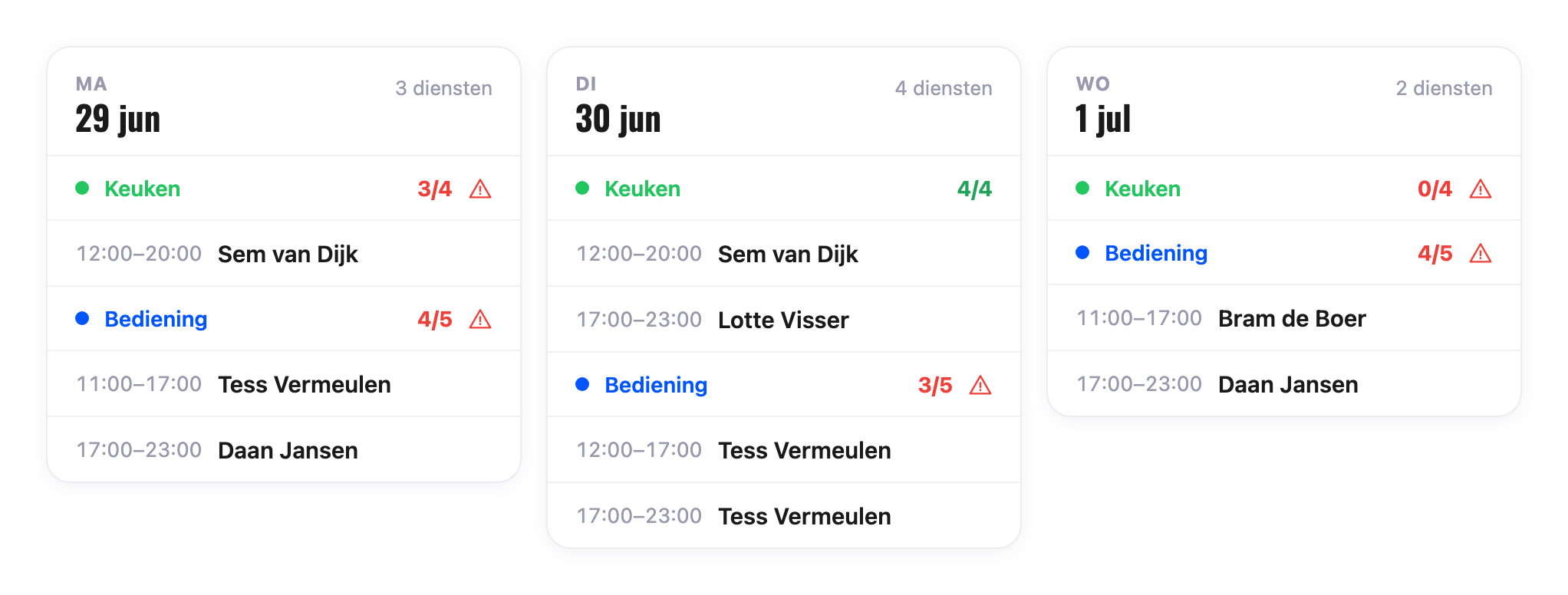
Create shifts per team, day or week and publish once the schedule is right. Every employee gets their own schedule by email right away.
See planned hours next to contract hours
Get warnings for leave or limited availability
Copy a week to schedule faster

Set availability and exceptions per employee. Approved leave shows up in the schedule straight away, so you instantly see who you can plan.
From empty schedule to sent, in a few minutes.
From empty schedule to sent, in a few minutes.
Create shifts per team, day or week. Drag staff in or leave a shift open.
Set how many people you need per time slot. You instantly see where you're under- or overstaffed.
All good? Publish in one click and send everyone their own schedule by email.
Staff clock in and out via the Staff tab on the POS, with their own PIN. Breaks are tracked separately and worked hours are visible right away. Does a registration differ from the schedule? Correct it in the clock log.
Set how many people you need per team, weekday and time slot. It's placed next to your schedule, so you instantly see where you're under- or overstaffed.
No one to assign yet? Leave the shift open. Staff claim a matching open shift on the POS and clock in right away, once you switch that option on.
This is just a taste: everything you need to plan your team is in there. Missing something? Tell us and we'll often build it in no time. 🤓
event_busy
Leave requests land in your schedule. You approve, the schedule updates right away.
sick
Report sick and recovered in one click, instantly visible in the schedule.
payments
Set evening, weekend and holiday surcharges. They're applied automatically.
person
Staff see their own schedule, hours and leave balance in Onesix.
event_available
Staff sync the schedule with their own calendar. Always at hand.
admin_panel_settings
Decide per role and per team who can see and edit what.
Real stories from owners who work with Onesix every day.
Try for free
Proven +20% revenue
24/7 Premium service
Get all the info about your Onesix setup right away. Try it free for 30 days, cancel monthly and get the best 24/7 service.
Absolutely. We're happy to think along about a suitable setup. Together we make a plan and start with a no-obligation trial at one or two locations. This way you experience directly what Onesix Staff can mean for your formula, without commitments.
On the POS, via the Staff tab. Every employee clocks in with their own PIN. Breaks are tracked separately and all times show up in the clock log, where you can correct them too.
Onesix is built to use straight away, without explanation. Staff get their schedule by email, see their hours and leave balance in Onesix and clock in with their PIN on the POS. No extra training, no manual.