Enter your email address below.
6 min read...
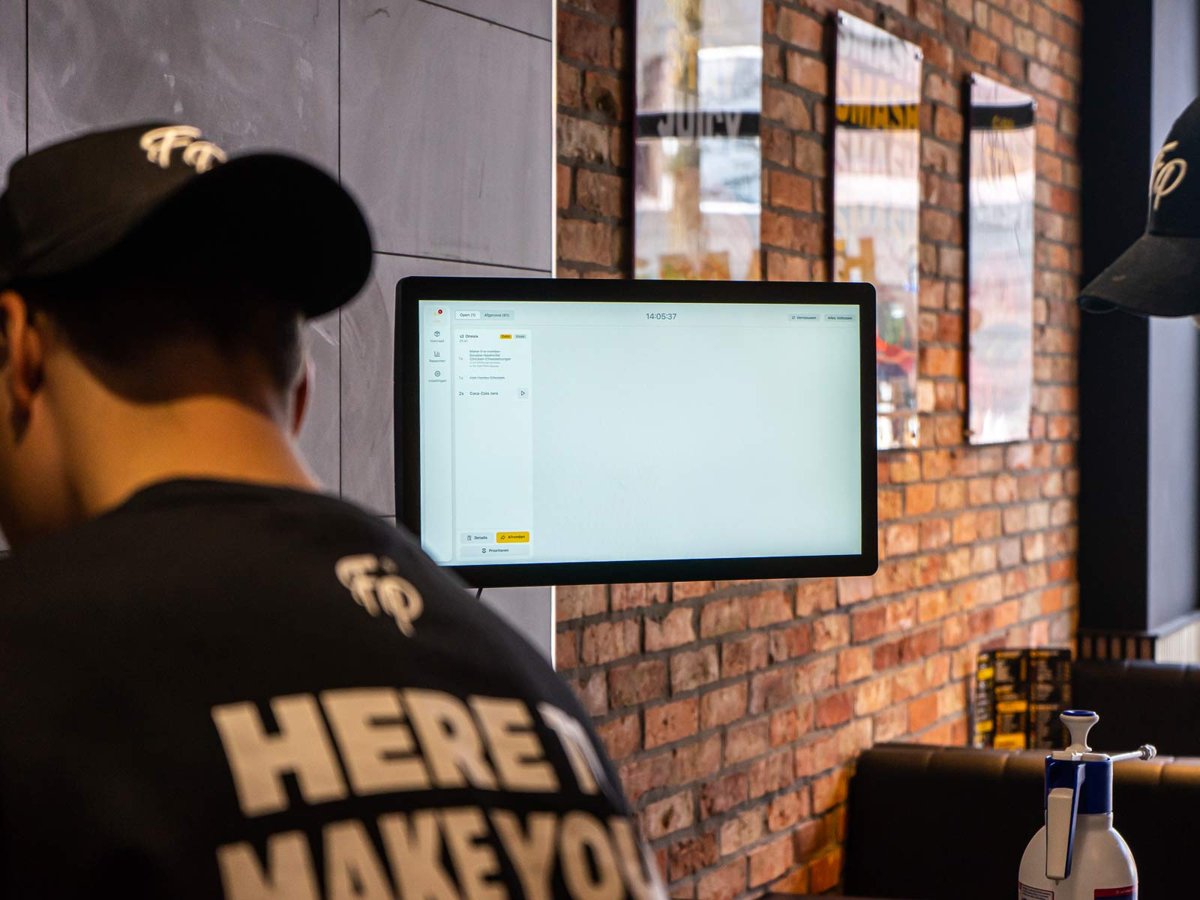
You’ll find a kitchen display in more and more restaurants. Still, plenty of kitchens run just fine on the trusty ticket printer. So which one is right for your place? The honest answer: it depends on how your kitchen works. In this article we put paper and screen side by side, show you when a kitchen display really makes a difference, and explain why you don’t necessarily have to choose.
The ticket printer is the classic. An order comes in, the printer spits out a ticket and it goes on the rail. Your team works through the tickets left to right and bins them once the dish leaves the pass.
It works, and there’s a reason it’s been around for decades:
But paper has its downsides too. Tickets get lost, wet or greasy, or turn unreadable when the printer is running low. And when it’s busy, the rail gets so crowded you lose the overview. Which order has been waiting longest? What’s already done? On paper, you can’t see that at a glance.
A kitchen display shows orders digitally instead of on paper. At Onesix it’s called the Kitchen Display. Orders from your POS, Kiosk or Online Kiosk land on the screen right away, including the chosen options and extras.
Here’s what that looks like in practice:
The Kitchen Display runs on your own TV or monitor with an HDMI port. We send the device to your place, you plug it in and activate it yourself. Need help on site? Then we’ll schedule a moment together.
| Ticket printer | Kitchen Display | |
|---|---|---|
| Overview when busy | Rail fills up | List of open orders |
| Order status | Not visible | Tick off per dish and order |
| Multiple prep stations | A ticket per printer | From one to ten stations |
| Paper use | A ticket for every order | Less paper |
| Insight into lead times | None | Via the Dashboard |
| Learning curve | Close to zero | Short, it’s all tapping |
Not every kitchen needs a screen. These are the situations where it adds the most.
A grill, a fryer, a cold section and a bar? With paper, someone has to hand out the tickets, or you print the same order in several places. The Kitchen Display grows with you from one station to ten, so your team keeps the overview across the kitchen.
Around lunch and dinner, a lot of orders come in within a short time. That’s exactly when a rail full of tickets gets messy. On a screen, you see exactly what’s open and what’s done.
Guests order at the counter, at the Kiosk and through the Online Kiosk on their phone. Everything lands in one place in the kitchen, instead of being scattered across separate tickets.
Want to know how long an order sits in the kitchen on average, or where things get stuck at busy moments? A ticket won’t tell you. The Dashboard will.
More and more guests care about sustainability, and fewer tickets means less paper and less waste. A nice bonus, although it’s rarely the only reason to switch.
Good to know: the Kitchen Display is an add-on next to your POS or Online Kiosk, not a requirement. Without a Kitchen Display, printed kitchen tickets are still an option. And if you want both? Screen and printer can run side by side.
That’s why a lot of places start with a mix. Say, a screen at the main prep station and a printer at the bar, or a printer as a familiar backup during the first few weeks. That way you switch over at your own pace.
Also want to show guests when their order is ready? Then add the Status Screen. It shows the real-time order status to your guests, while the Kitchen Display helps your team in the kitchen.
Yes. If your screen has an HDMI port, you can get started right away. We send the device to your place and you plug it in yourself.
Yes. The Kitchen Display is an optional add-on. Printed tickets are still possible, even alongside the screen.
You pay once for the device, plus a licence you can cancel monthly. You’ll find current pricing on the Kitchen Display page.
Yes. Orders from your POS, Kiosk and Online Kiosk land on the Kitchen Display straight away. Curious how the Kitchen Display fits into a complete setup? Then also read which POS system suits your restaurant.
A ticket printer is simple and reliable. A kitchen display gives you more overview, especially with several prep stations, serious peaks and orders from different channels. And because the Kitchen Display can run next to your printer, you don’t have to turn everything upside down in one go.
Curious what it does in your kitchen? Test the Kitchen Display free for 30 days with no strings attached, or get in touch. Then we’ll figure out together which setup fits your place.

Wouter works as a Marketing Specialist at Onesix. This news site offers relevant articles for people working in or interested in hospitality, retail, and amusement parks.