Enter your email address below.
6 min read...
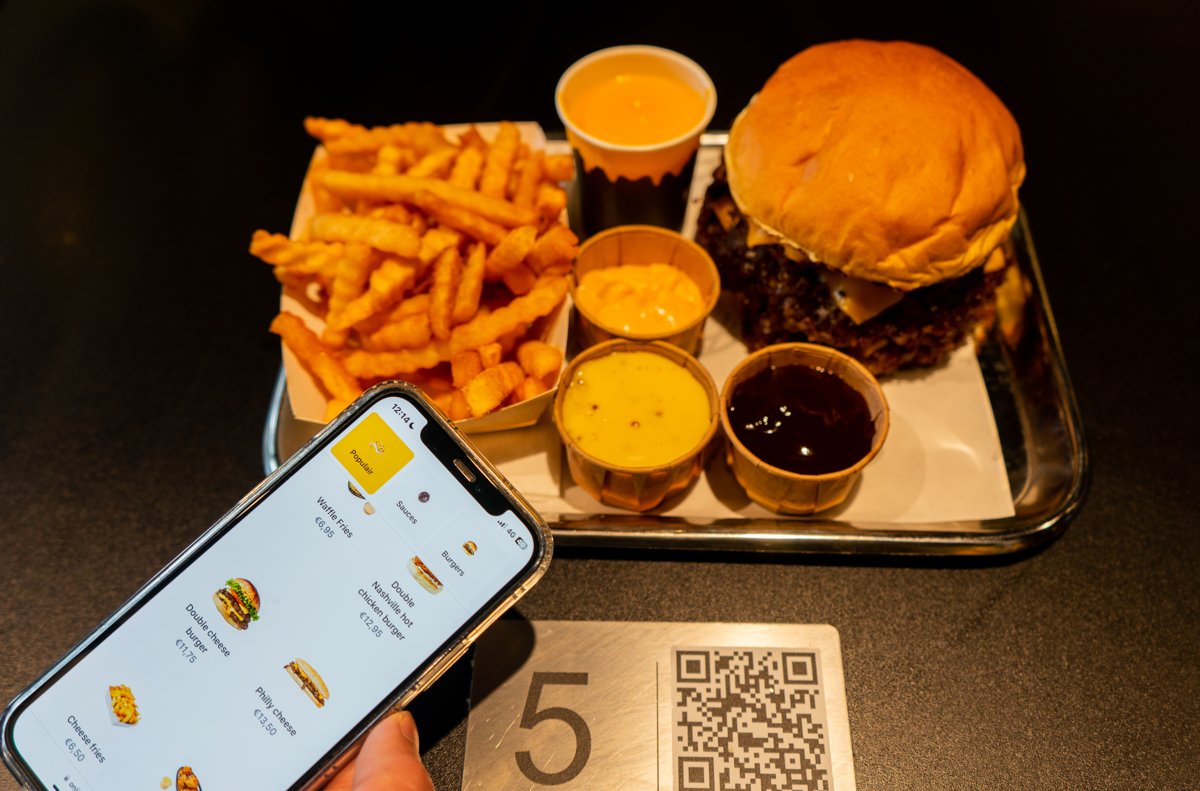
Your guest sits down, grabs their phone, scans the code on the table and orders. No menus being passed around, no waiting until someone on your team has a free moment. QR code ordering in restaurants went from stopgap to standard in just a few years. But how does it actually work, what changes for your team, and does it really fit your venue? Here’s the full picture.
With QR code ordering, there’s a plate or card with a QR code on the table, at the bar or by the entrance. A guest scans it with their phone camera and lands straight in your digital menu. There they pick dishes and drinks, adjust options, pay and send the order. It reaches you digitally.
The big difference with a custom app: nothing needs to be downloaded. The menu simply opens in the browser, on any screen. Curious why that matters so much? Read why building your own ordering app often isn’t the smartest move.
For your guests, it’s just a few taps:
No hunting for someone to take the order, no extra round to settle the bill. That makes a real difference when it’s busy.
A QR order comes in digitally and clearly laid out, including the chosen options and extras. Your team no longer has to retype or write anything down.
You decide how the order reaches your kitchen. Plenty of venues simply work with printed kitchen tickets. Prefer a screen in the kitchen? You can add the Kitchen Display as a separate add-on. The two can also run side by side.
In the Onesix Dashboard you see all your orders, together with those from your other ordering points. That’s also where you edit your menu: products, prices and options. Don’t feel like building your menu from scratch? Send us your existing menu and Onesix sets it up for you. After that, you tweak it yourself in the Dashboard, or let us make the changes.
QR ordering isn’t the answer for every venue, but in a few situations it works especially well:
Does your venue mostly run on counter traffic, like a snack bar or fast-food spot? Then a Kiosk in your venue is often the more logical step, or a combination of both.
Putting a QR code on the table is step one. Whether guests actually use it depends on a few things:
With the Onesix Online Kiosk, you pay a licence that you can cancel monthly. There are no one-off software or setup fees.
The QR or NFC plates themselves are physical materials. You can have them made yourself, or order them from Onesix: among other things, we supply aluminium QR plates with a built-in NFC chip. Those material costs are separate from the licence. For current prices, check the product page or just ask us.
| QR ordering (Online Kiosk) | Kiosk in your venue | |
|---|---|---|
| Where does the guest order? | On their own phone | On a screen in your venue |
| Best fit for | Table service, terraces, takeaway | Counter service, fast food, high footfall |
| What you need | QR or NFC plates | The Kiosk itself, paid upfront or in instalments |
| Try it out | 30 days free | 30 days free |
Plenty of operators combine the two: a Kiosk for walk-ins, QR ordering for guests at the table.
Do my guests need to download an app? No. The menu opens in the browser as soon as the guest scans the QR code or holds their phone against the NFC plate.
Can I edit my menu myself? Yes. In the Dashboard you change products, prices and options. Rather have us do it? We’ll make the changes for you.
Do I need a Kitchen Display? No. You can simply work with printed kitchen tickets. The Kitchen Display is an optional add-on.
Can I try QR ordering first? Yes. You can test the Online Kiosk free and with no strings attached for 30 days, with your own guests.
Wondering whether QR code ordering fits your venue? Test the Online Kiosk free and with no strings attached for 30 days. After that the licence is cancellable monthly, and you can always count on 24/7 support.
Still not sure which setup suits you best: QR ordering, a Kiosk or both? Get in touch and we’ll think it through with you.

Wouter works as a Marketing Specialist at Onesix. This news site offers relevant articles for people working in or interested in hospitality, retail, and amusement parks.